











Before your next attempt
Manual preparation only. This does not read or save game progress. Checks reset on reload.
An ordinary object in an uneasy place
Odio el chocolate uses an everyday treat as the reason to keep exploring a space that demands attention. The object itself is easy to recognize; the harder work is deciding where to search, remembering what you checked and responding to the current situation. This is active exploration, not a farming story or a sequence of dialogue choices.
Readers arriving from The False Sun may be drawn to the contrast between familiar imagery and discomfort. That is a useful thematic connection, but it should not disguise the difference in play. Here the guide concerns movement, camera control, collection and escape-oriented objectives. It does not offer romantic routes, character approval answers or a hidden ending table.
The original is Wantho's Baldi's Basics mod, while the player on this page opens the supplied browser-hosted version. Images document source material and videos offer reference footage. Neither makes the versions interchangeable. Read the current instructions before treating a screenshot, mode label or remembered counter as a complete explanation of what this run requires.
Observe the scene without inventing its meaning
Begin with what you can actually identify: a doorway, a desk, the counter, an inventory slot or the visible stamina display. Each can help with a decision. Avoid assigning a secret purpose to every decorative detail before the game establishes one. Noticing an unusual scene is different from proving that its objects form a puzzle solution.
The chocolate-desk image is useful because it puts a possible interaction in a room context. Study where the furniture sits relative to the view and doorway. It does not reveal the entire level or establish which route is safest. A screenshot taken after an action also cannot prove whether the same object will be present when you first arrive.
Keep interpretation connected to action. If a detail helps you recognize a room on return, that is already useful. You do not need a theory about the story behind it. This approach preserves the game's atmosphere while avoiding a guide full of unsupported lore. Let the game provide the event, and use your notes to remember what you observed.
Give the first room a clear purpose
Set a first-room goal that you can verify. Face the entrance, turn away, then find it again; alternatively, attempt one pickup and inspect the counter. These exercises sound modest because they are meant to reduce uncertainty before a more pressured situation. You are establishing a method, not trying to prove mastery in the opening seconds.
The browser reference lists movement on W A S D and looking with the mouse. Click inside the frame before testing them. Left mouse is used for doors and chocolate interaction. Approach and aim deliberately, then check the result. If nothing changes, consider whether input reached the game before assuming the object is unusable or the run is broken.
A good search has an ending. Once you have inspected the area, decide whether it is checked or whether you intentionally left something uncertain. Wandering back because the room feels familiar is not the same as returning for a reason. A brief mental label can keep an atmospheric space from becoming an indistinct series of repeated visits.
Use the HUD as evidence
The heads-up display gives information that the surrounding room cannot. A counter can confirm collection, an inventory highlight can identify the next item used, and stamina can change how you plan movement. Look at those elements between actions rather than only when something goes wrong. They are part of the scene you are learning to read.
A small count in a reference picture is not a universal rule. Main-mode material describes chocolate collection and reaching an exit, while the original project's stages and other modes require careful interpretation. Do not assume that seeing three means the full run is finished. Follow the live objective and wait for actual completion feedback from the game.
The manual preparation tool on this page does not know any of those values. Checking a box is only a reminder that you inspected something. It does not award chocolate, confirm an exit or unlock another mode. The separation is intentional: a website should not display an authoritative progress state when it cannot read the game that would justify it.
A doorway is a landmark, not a promise
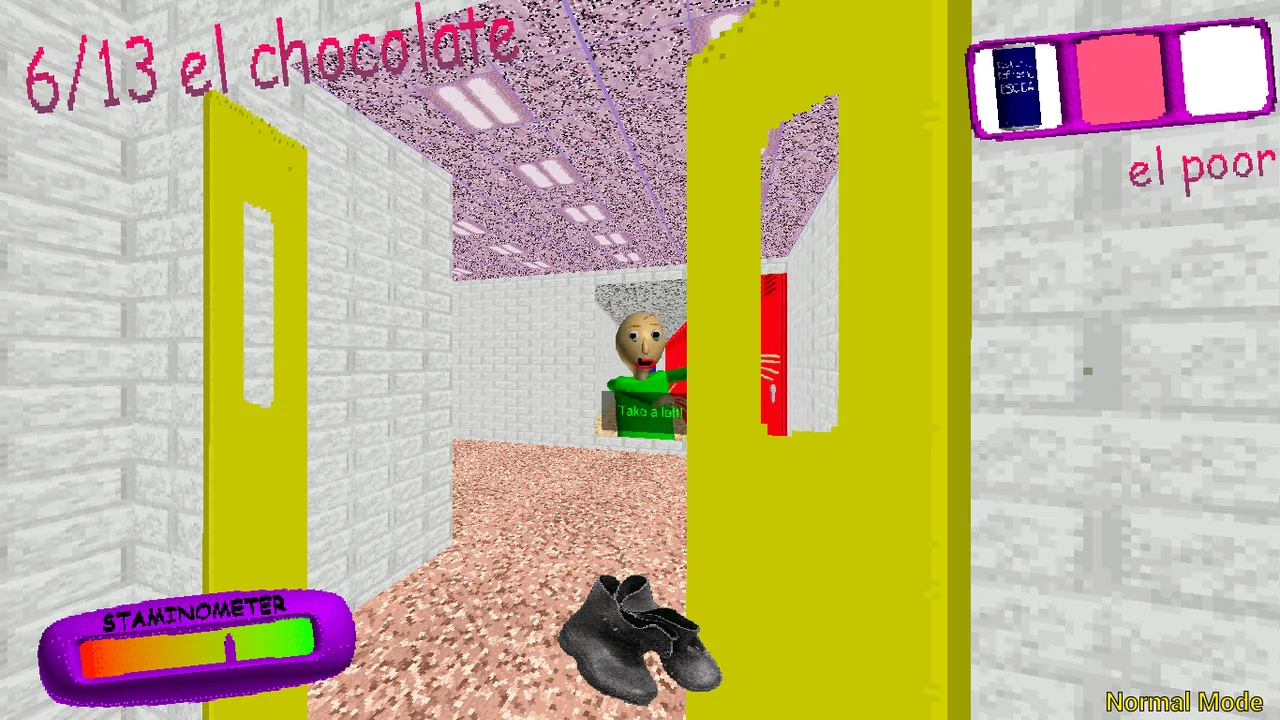
The yellow-door image is a visual reference, not a marked solution. A distinctive doorway can help you remember an area, but color alone does not prove it is the exit or a safe place. When approaching any transition, inspect the immediate surroundings and remember the direction you came from before committing to another unfamiliar space.
This matters because movement changes what is available to observe. Once you turn a corner, the previous view is no longer in front of you. A short pause to identify a return landmark can be more useful than trying to memorize a long route afterward. The guide does not claim a fixed map layout or a guaranteed sequence of rooms.
If your run differs from a video, treat the difference as information rather than evidence that you did something wrong. Versions, modes and circumstances can change the usefulness of a route. Keep the method of checking entrances and confirming searches, while allowing the actual path to change. A useful guide should survive that difference without pretending the difference does not exist.
Plan movement and item use separately
Shift is the sprint action described in the source controls. Watch the stamina display and choose a destination for a burst of movement. Speed alone is not a plan: arriving somewhere you cannot orient yourself can create another problem immediately. Practise ordinary walking and camera turns first so faster movement has a stable foundation.
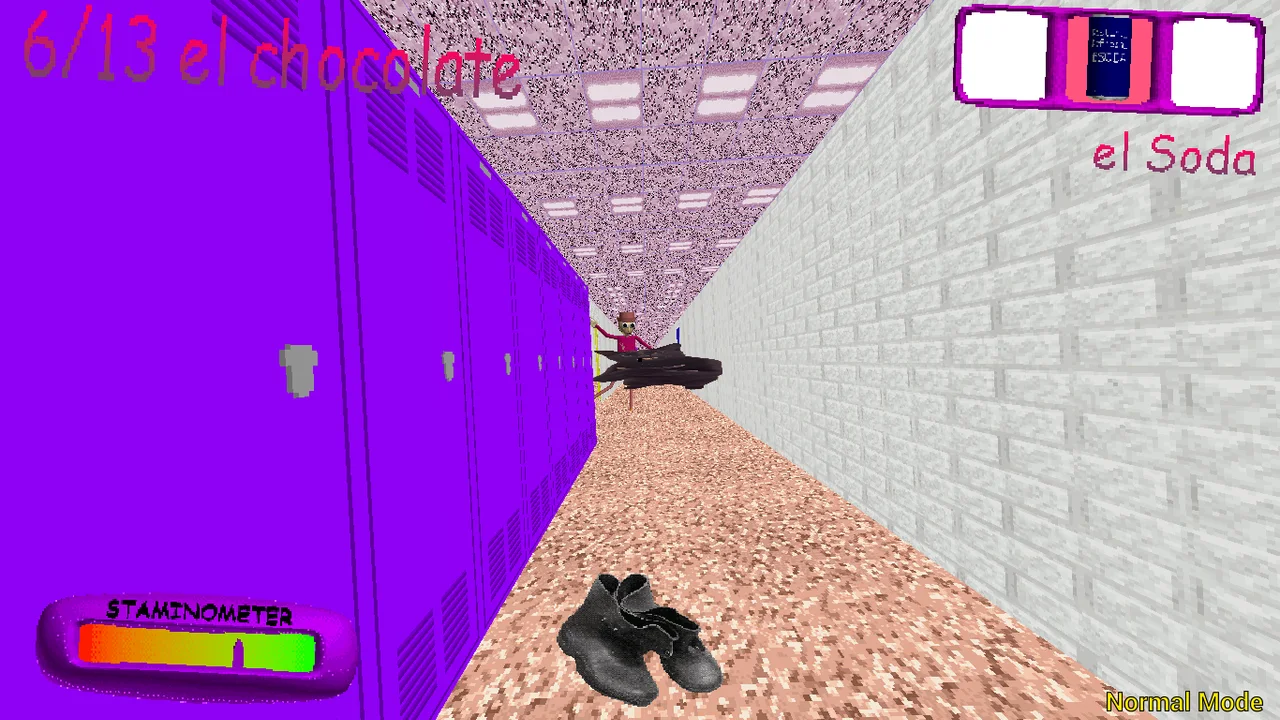
Inventory uses a different decision. Number keys one through three select slots, and right mouse uses the current item according to the reference. Check the selected slot before acting. Remembering the item you wanted does not mean it is selected. The inventory screenshot illustrates the interface but does not establish every item's effect, duration or best use.
When a result is unclear, separate the observation from the explanation. You might know that an item disappeared without knowing exactly what it changed. That is a legitimate note. Avoid claiming a mechanic from a single confusing moment. A later attempt can focus on the missing feedback rather than repeating several actions and producing the same uncertainty.
Read each mode on its own terms
Main, Baltazar, Low Cortisol and Triple Trouble appear in the project material. Their names are useful for recognizing the menu, not for assigning a difficulty rating that the evidence does not support. Read the visible description and objective for your chosen option. If something differs from a familiar run, revise the plan before proceeding.
For a first visit, a small comparison is enough. You could note whether the opening instructions or displayed collection target differ, without trying to settle every rule. Avoid switching device, controls and mode simultaneously if your goal is to learn what one change does. Stable conditions make the differences you observe easier to interpret.
No personal comfort level follows automatically from the art style. A strange or playful presentation can still become tense. Keep the volume comfortable and know how to leave fullscreen. You can stop when a session becomes unpleasant; the checklist is not a requirement to continue. This page provides navigation help, not a promise that every player will enjoy every mode.
Protect a session from avoidable interruptions
Clicking a guide or video may move input away from the frame. If movement stops responding after such a switch, restore focus and test a basic action before refreshing. A refresh can discard the current session. The page has no verified access to the game's save state and cannot promise to recover what was lost.
Loading problems deserve their own diagnosis. The website and the game host are separate, so one can respond while the other is slow or blocked. Allow time for the frame to initialize and use visible feedback. The direct-game link offers another viewing context, but it is not a substitute host and cannot repair an unavailable remote game.
Native Android screenshots should remain labeled as native references. Their touch controls do not prove that the browser build supplies the same interface. Installing this website also does not install an APK or guarantee offline gameplay. Use the input supported by the actual player, and distinguish a phone displaying the page from a phone completing all required actions.
Leave with a question worth returning to
A productive review can be only one sentence: which room remained uncertain, which input confused you, or which HUD change did you miss? Keep the note concrete enough to guide another attempt. There is no need to turn a short horror session into a long report, and no need to invent an explanation merely to feel finished.
The selected videos are optional and may reveal outcomes. Watch a short passage to answer a question you already have, such as how a player verifies a pickup or turns toward a landmark. Do not assume the footage is the same release as the embed. Pause competing audio before returning to the game so observation remains manageable.
The False Sun collection can offer both reflective horror and more active tension without pretending they are the same experience. This page belongs to the latter side. Its illustrations, steps and preparation panel are meant to make unfamiliar actions readable. They leave the actual discoveries to your session and the actual rules to the build that is running.
Odio el chocolate video references
Optional footage selected by the source website. Spoilers and version differences are possible.
Questions before playing
Is this a visual novel?
The documented controls and objectives involve movement, looking, collection and navigation, not a dialogue-route guide.
Is the yellow door the exit?
The image alone does not establish that. Use color as a landmark and let the game identify the door's function.
Why check the HUD after interacting?
It supplies evidence of a successful action that the click itself cannot provide.
Are screenshots a fixed map?
No. They are source references and do not establish spawn positions or a universal room sequence.
How should I use an unfamiliar item?
Inspect the current slot and any in-game description, then observe the result. The guide does not invent item durations or guaranteed uses.
Will refreshing recover an unresponsive run?
It may discard progress. Try restoring frame focus first; the website cannot promise to restore a session.
Can the checklist detect an ending?
No. It is entirely manual and separate from the game's completion state.
What should I compare between modes?
Start with visible instructions and objectives while keeping the input setup stable. Avoid assuming a difficulty ranking from names.