







Choose the help you need
Reference only: these buttons do not change game bindings, pause the story, or save progress.
Desktop controls
Click inside the loaded frame. Use WASD to move, the mouse to look, Space to jump, and E to interact. Test one action at a time; current on-screen instructions take priority.
A domestic scene with an unreliable sense of safety
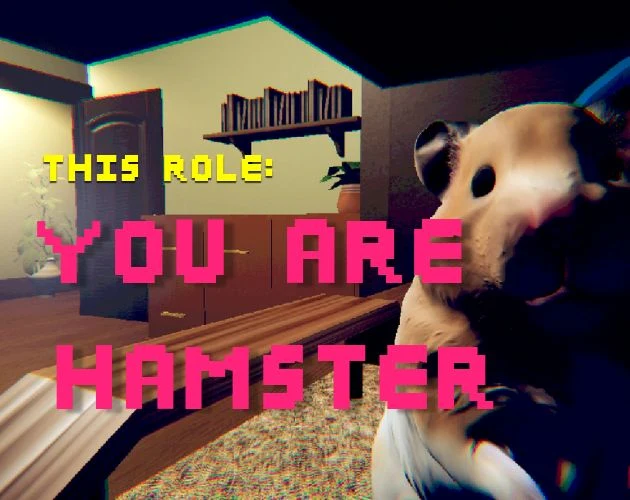
You Are Hamster sits beside The False Sun as a contrasting horror experience, not as another romance route. The familiar setting is a room rather than a rural relationship story, and the viewpoint belongs to a hamster. SeenThai's description combines a short narrative with absurd comedy, which gives the page a different rhythm from a long visual novel.
The premise invites a careful distinction between appearance and interpretation. The animal notices something the owner cannot see. That is enough information to make the ordinary room feel uncertain without claiming to know every later event. This guide keeps its practical advice separate from speculative explanations of the plot.
Start here if you want a compact change of perspective. Do not start expecting character affection meters, branching relationship advice, or a safe way to skip every uncomfortable moment. None of those features is established by the creator's brief description or by the controls listed for the original.
Prepare the view before reading the room
A comfortable view is more useful than an impressive one. Open the player, wait for a scene, and check whether you can read the interface without leaning into a tiny frame. The fullscreen button may help on a supported browser, but its failure does not prevent you from trying the ordinary embedded view.
Set your audio to a comfortable level before the opening. Do not compensate for uncertainty by turning everything up. Sound and visual attention work together, and an unexpected loud moment is not a requirement for understanding the game. Close unrelated media if it is difficult to tell which tab is making a sound.
The direct-game link is available when the embed is awkward or blocked. Opening it does not carry a current attempt into another document. Make that choice before becoming invested in a scene, especially because the original does not advertise a save feature.
Describe what you see before deciding what it means
A useful observation is specific: an opening is bright, a shelf is above a cabinet, or a cage fixture occupies the foreground. An interpretation goes further: that opening must be safe, the shelf must hide a key, or the fixture must be the objective. Keep those two kinds of statement separate.
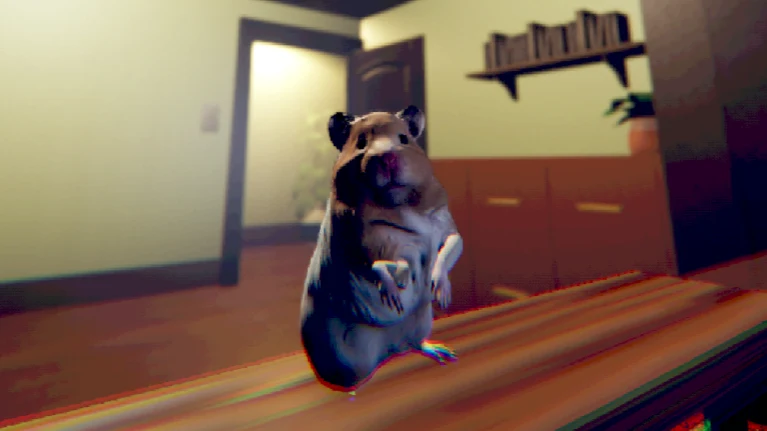
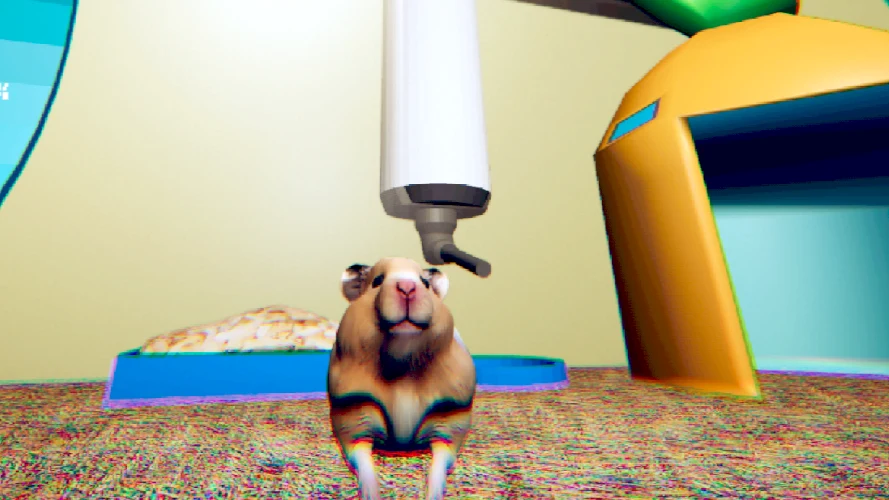
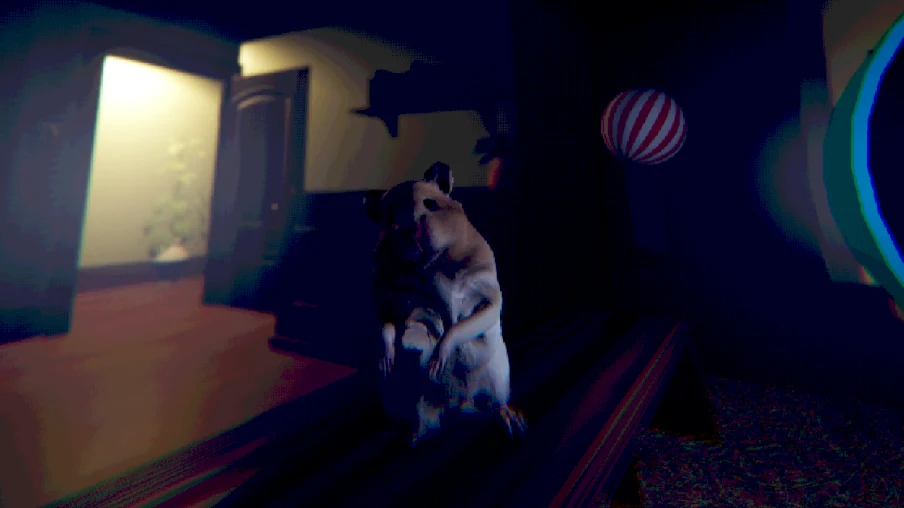
The creator's screenshots support the visual setting but not a complete route. They show the small protagonist in domestic surroundings. They cannot tell you which event your browser session has triggered, and they should not be used to invent an item-placement chart.
When a scene feels ambiguous, return to what it actually displays. A prompt, a response to an input, or a visible change is more useful than a theory built from a single image. This method preserves the atmosphere while reducing the frustration of acting on instructions the game never gave.
Learn the actions without borrowing another genre
The original lists WASD movement, Space to jump, and E to interact. The hosted browser entry also describes mouse looking. Those inputs suggest an experience you navigate directly; they do not behave like clicking dialogue options in The False Sun.
Test a small action after clicking inside the frame. If the document scrolls or nothing responds, refocus before assuming the controls are broken. A website link can retain keyboard focus, and a video player can capture keys that you intended for the game. The surrounding guide cannot transfer that focus on your behalf.
Avoid inventing extra bindings from familiarity. A sprint key, inventory shortcut, or skip command from another game may have no role here. Let current on-screen instructions refine the basic control list, and treat any difference as a version question rather than proof that you missed a secret mechanic.
Follow the current moment instead of a predicted ending
A short story can lose its shape when approached only as a race toward an outcome. Allow the present scene to establish what matters before seeking an ending checklist. The page does not provide an ending count because a count has not been established by the available primary instructions.
Comedy also changes how a moment should be read. An absurd interruption may be there to surprise you, not to reveal a hidden optimization rule. Likewise, a threatening atmosphere is not enough evidence to describe a complex enemy system. Avoid converting tone into undocumented mechanics.
If you are unsure what to do, choose the smallest meaningful experiment. Look around, make a brief movement, or try the prompted interaction once. Observe the result before combining actions. This provides useful feedback without requiring a supposed perfect route or spoiling the rest of the experience.
Respect the difference between short and resumable
SeenThai describes the original as an approximately ten-minute experience with no pause or save feature. A short duration makes it easier to plan a visit, but it does not make interruptions harmless. Loading, learning the view, and rereading an instruction can extend the time you need.
Switching tabs may remove input focus without freezing the story. A device can also suspend browser activity unpredictably. Neither behavior is a dependable substitute for an in-game pause. Do not assume that leaving a tab open guarantees a safe return to the same state.
This page's interactive controls are reference panels only. They store no game progress and do not create a checkpoint. If you need to stop, expect that another visit may begin again. An installable website shell similarly does not make the external game offline or supply a save system.
Use the images as paired reading material
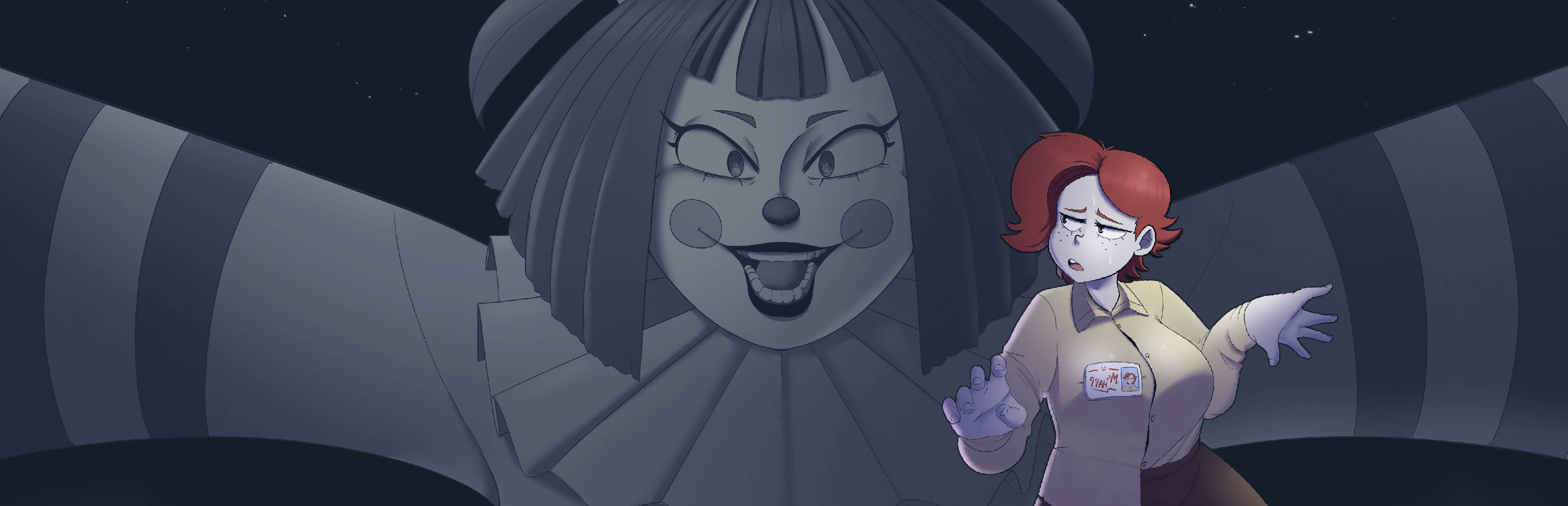
The illustrations sit next to relevant guidance so that they support a question rather than form an unrelated gallery. The cage view helps establish scale, the room view supplies orientation references, and the darker view demonstrates how lighting changes what is easy to recognize.
None of these images is labeled as a current browser test. They are public material from the creator, reproduced as references. A different camera angle in your session is not automatically a bug, and the absence of a pictured object from your current view does not prove that something failed to load.
You can use an image to formulate a clearer question: which direction am I facing, what object did I recognize, or is this even the same scene? That is more productive than treating every visible prop as a required interaction or a guaranteed clue.
Choose the amount of video help you want
The two supplied videos offer another way to inspect the game, but their presence does not make them spoiler-free. They are embedded below the guide so that you can choose when to view them. Neither recording is synchronized with your current frame.
For limited help, watch only the section that addresses a specific issue. Compare visible actions rather than copying a long sequence without context. If your scene differs, first consider progress or edition differences instead of assuming that the video reveals a universal procedure.
Video playback controls belong to YouTube. Pausing a recording cannot pause the game, and changing playback speed cannot slow your session. If you would rather preserve surprise, the basic controls and loading advice are sufficient places to start without opening the footage.
Troubleshoot without rewriting the story
Technical problems should be described as technical problems. A blank iframe, a host error, missing sound, and an unresponsive key are not evidence for an intended plot event. Check loading and focus first, then note the exact browser message if one appears.
The browser entry includes a touch-control script, but full phone compatibility has not been established on this page. If movement works while interaction does not, report that distinction. The version parameter in the address identifies a host revision; it is not a guarantee about every screen size or mobile browser.
When you finish, return to the other game cards with fresh expectations. This is a short horror-comedy excursion, not a continuation of The False Sun's characters or narrative. Its value lies in the unfamiliar perspective and the room's changing mood, while this guide's role is to make the first visit understandable without inventing certainty.
Keep a small evidence vocabulary
It helps to use different language for different levels of certainty. Say that the author lists an input when referring to published controls. Say that a screenshot shows an object when describing artwork. Say that your session responded when discussing something you actually tried. Those statements are all useful, but they are not substitutes for one another.
The same discipline applies to compatibility. A host that loads touch controls is not the same as a complete phone playthrough. An iframe that responds to a request is not the same as a scene that accepts movement. A successful first interaction is not proof that every later event works.
This distinction protects the story as well as the technical description. It avoids promoting a guess about a character or event into a supposedly official explanation. If you want to share impressions, label them as impressions and consider whether the detail would spoil a first visit for someone else.
You can also use this vocabulary when asking for help. Instead of saying only that the game is broken, explain which stage you reached: cover, loading screen, visible room, responding movement, or a later interaction. Add the browser and device, but leave out private credentials.
A precise question usually needs less speculation to answer. It also keeps this page honest about its purpose: an illustrated first-play guide with practical controls and references, not a claim to know every internal rule of a short narrative experience.
When choosing a next game, read its content description before using the familiar shared controls. A common card layout only makes navigation consistent. It does not imply the same pacing, saving behavior, or audience. This is particularly important when a collection mixes short horror comedy with longer stories that invite very different kinds of attention.
You Are Hamster video references
Optional third-party footage. Later scenes and differences from this browser edition may appear.
Questions before playing
Is this a visual novel or romance route?
The available description identifies a short horror comedy with movement controls, not a documented relationship-route system.
Who made the original?
SeenThai. The author's itch.io page lists the original Windows release.
What does the browser host add?
Its entry advertises mouse looking and loads touch-control code. Full device compatibility is not established by that alone.
Does a ten-minute description mean a time limit?
No. It is an estimated play length, not a verified countdown.
Can a screenshot prove an exit location?
No. A reference image shows a scene, not the objective or state of your current attempt.
Should I refresh when interaction fails?
First check focus, position, and current prompts. Reloading can restart the attempt.
Are the video controls shared with the game?
No. Pausing YouTube does not pause the separate game iframe.
Does installing the website add offline saving?
No. A website installation does not create game saves or guarantee cached external game files.
Original game and reference artwork by SeenThai. The Windows original and supplied browser host are distinct presentations. This guide does not claim an officially supported mobile release.